
Always assume the worst immediately! Fun story I got locked out from my Debian instance because of a bug in the distro update, and this did prevent me from logging in from SSH. To make matters worst I did not set-up user passwords at VM creation and hence could not to access the console from the serial connection… so there was no way for me to enter the instance and to troubleshot.
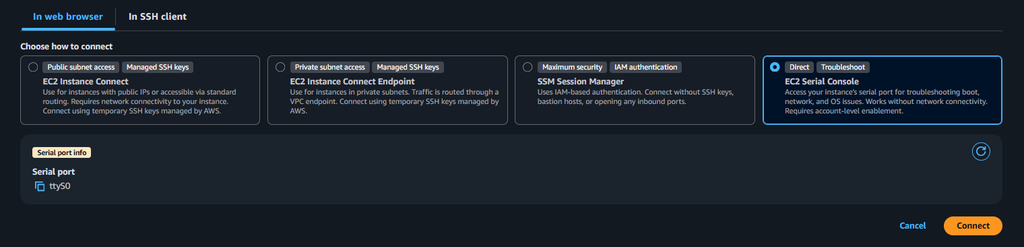
I am talking about this weird error from Debian 13 here… Anyway I ended up being very nervous about my ability to recover my website (this blog), since I usually do the back-ups manually (!) and also did not run one for a while… I would have for sure lost a couple of articles. I would have though that Debian would spare me from such dumb issues, as the distro had a reputation to be extremely stable. What happened is that I did an update during the previous connection a few months ago and did not take the necessary precautions you should always take before making any kind of updates.
Thankfully I solved it by unmounting the disk and mounting it onto a new instance, attach my reserved IP to it and I could get going again. The take away is to not forget to setup passwords on users, and also to automate the back ups.
#!/bin/bash
# THE CRON JOB CODE

echo "Prepping variables..."
CURRENTEPOCTIME=`date +"%Y-%m-%d_%H%M%S"`
BACKUP_PATH="/home/admin/backups/backup_nginx_${CURRENTEPOCTIME}"
echo "Creating backup folder...."
mkdir -p "${BACKUP_PATH}"
echo "Backing up DB...."
mysqldump -u root wordpress_db > "${BACKUP_PATH}/backup_db_${CURRENTEPOCTIME}.sql.bak"
echo "Backing up html folder..."
cp -R /var/www/html "$BACKUP_PATH"/
echo "Tar-ing the lot..."
tar -czf "${BACKUP_PATH}"/../backup_wp_website-"$CURRENTEPOCTIME".tar.gz -C "$BACKUP_PATH"/.. .
rm -rf "${BACKUP_PATH}"
echo "Sending it to s3 Ohio..."
. /root/tos3/env/bin/activate
python /root/tos3/main.py
echo "Done"
And the python code with boto3 for an upload of the backup into S3
import boto3, os, logging
from botocore.exceptions import ClientError

s3 = boto3.resource('s3')
s3_client = boto3.client('s3')
my_bucket = s3.Bucket('bucket_name')
p = r"/home/admin/backups/"

print("Begin copy to bucket....")

for file in os.scandir(p):
    if file.is_file():
        obj_name = os.path.basename(file)
        try:
            resp = s3_client.upload_file(file, my_bucket.name, obj_name)
        except ClientError as e:
            logging.error(e)

print("Script executed")
Now I can sleep better, my cron job will execute periodically and store my backups safely in S3…
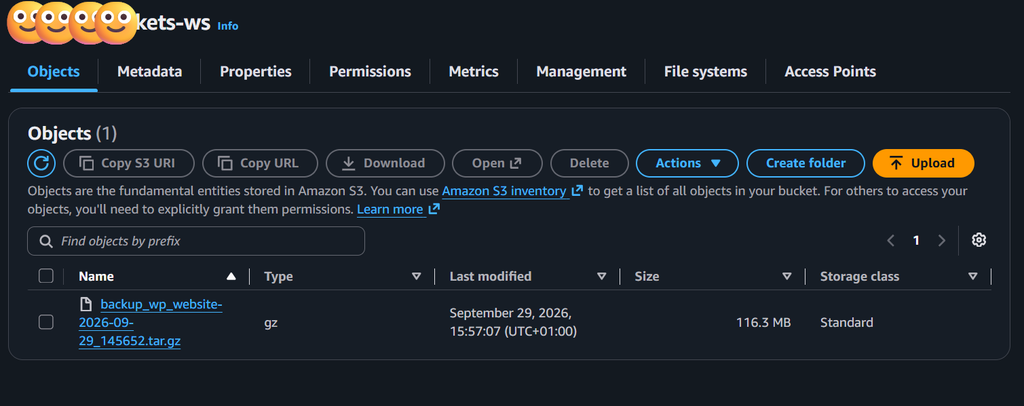
Here are my take away, appreciate I am stating the obvious here 🙂
- Take a snapshot of your VM before you run any update command
- Set up your users passwords so you can recover from the serial connection
- Automate your backups and send them into a long term durable storage like S3
See you.