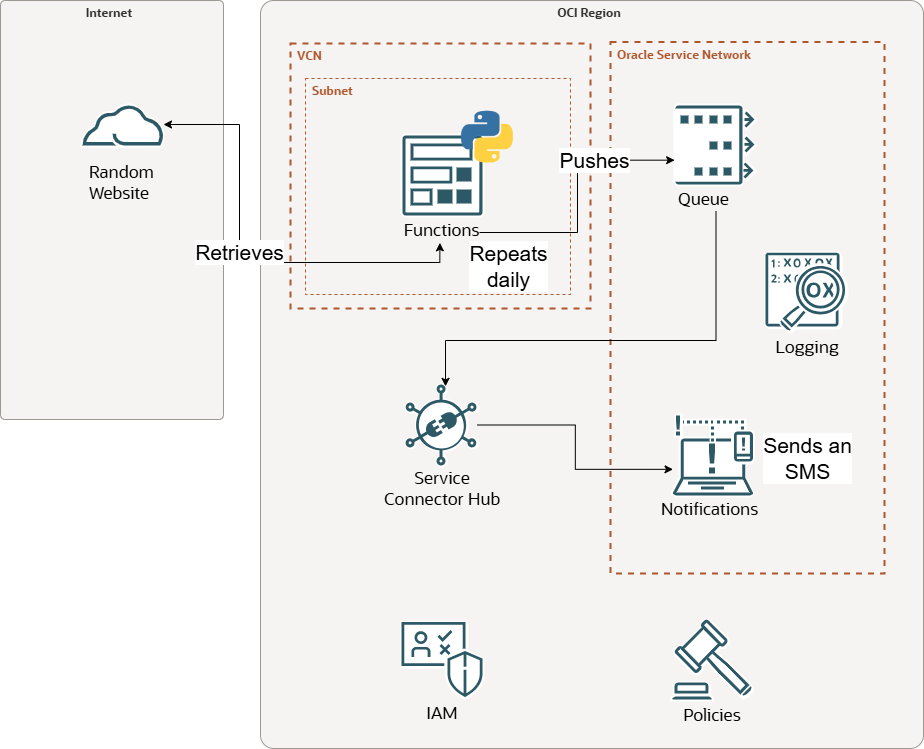
Every two weeks or so my bins get collected from home and there would be no issues if the schedule remained predictable… but it is not, and missing a collection date brings me an additional two weeks wait for refuse collection, and inevitably results in annoying trips to the dump to offload excess. I found myself checking the website way too often and I had to find a solution about it. Let’s have a look on how I could take advantage of the serverless OCI functions to repeatedly scrap the webpage to then send myself a daily SMS reminder. Here is what I propose:
The webpage being scraped looks like that:
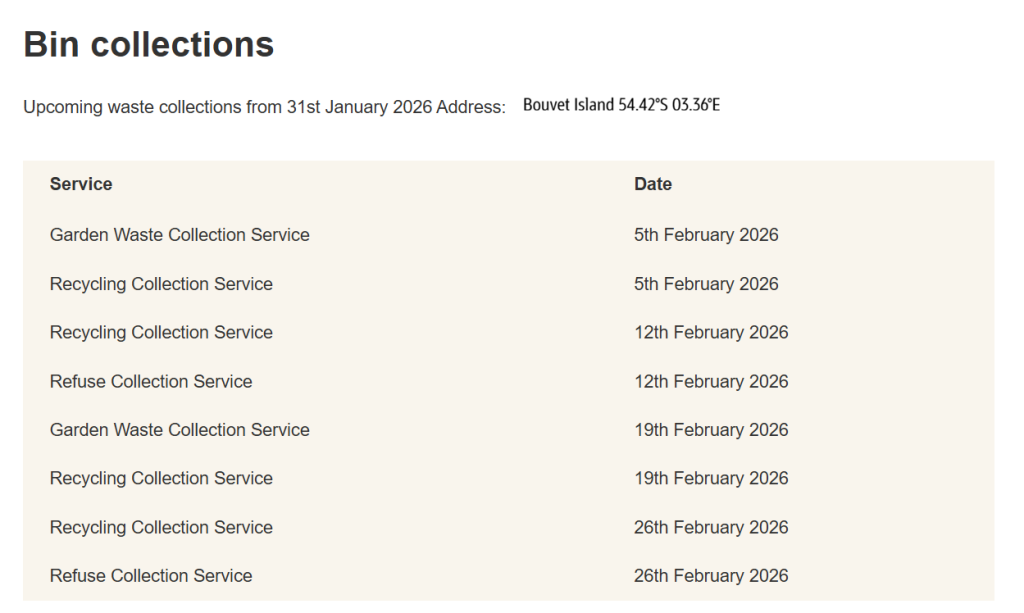
The OCI function queries the page every time it executes – here is link to my python code – and I am going to comment it below. In the meantime, I just want to point out that I had to do some research on website scraping with Python before writing anything, and I wanted a library that is simple to grasp and to get started with, so I settled with the BeautifulSoup (bs) library. Looking at the bs documentation you simply have to pass an html document to your class and you are ready to perform operations on the newly create object.
soup = BeautifulSoup(html_doc, 'html.parser')Going back at the code I want to immediately target the table, and prior to writing anything I inspect the page with developer tools and realise there is only one table <table>, so this should be simple enough. I scan through each elements rows <tr> and cells <td> inside my soup object to get the cells content. find_all() and get_text() methods come in very handy here. I return a dictionary with two list of dates.
for row in soup.find_all('tr'):
    for cell in row.find_all('td'):
        if re.search("Recycling", cell.get_text()):
            recycling.append(row.find_all('td')[1].get_text())
        if re.search("Refuse", cell.get_text()):
            refuse.append(row.find_all('td')[1].get_text())
final = {
    "recycling": {"date": recycling},
    "refuse": {"date": refuse},
}
return final
At that stage I have my dates scrapped out and wish to embed the logic into an OCI function. OCI functions are based on the Fn project and have their way of doing things. I recommend reading through the Fn quick start guide.
Going back to our code, the entry point is the handler and since I plan to use other OCI services (in order to notify me via SMS) I call on the OCI auth signer first hand. In a second time we call get_dates() which is the website scraping function we discuss the paragraph prior and finally I call on the send_msg_to_queue() to send my date result into the OCI queue service. Please read the QueueClient class documentation here if you are confused about the code.
Make sure the function is involved into a dynamic group, as the code is using instance principals with the OCI auth signer.
ALL {resource.type = 'fnfunc', resource.compartment.id = 'ocid1.compartment.oc1..abcd'}Ensure the function can use OCI Queue with a policy like so:
Allow dynamic-group domain/gda_function to use queues in compartment id ocid1.compartment.oc1..aaaaaaaaabcdAt this stage, let me share a couple of tips:
- In terms of logs it is important to turn the logs “on” at the application or function so you can check errors at runtime.
- If your function gets 404 or 403 errors, it is likely due a mistake in policies. Note that there can be a short delay when you save a policy change and its effect, also I recommend for your testing to start with “umbrella” over permissive policies and gradually narrow them down to least privilege. (Policies can be tricky sometimes.)
Another gotcha : I originally used notifications straight out from the function as you see in my code but soon realised than notifications only shoots emails this way and not SMS! SMS are sent only if Notifications is called by a relatively few list of services like the Service connector Hub (don’t ask me why.) but not the functions service! In addition, you cannot send straight out of the function a message to the Connector Hub as the connector hub does not have a function as a source. Looking at the Connector Hub sources available I came to the conclusion that OCI queues is the most fit for purpose, which is a Queing mechanism useful when building decoupled and asynchronous applications. End result is that I changed the function code to push the dates scraped from the website onto OCI Queuing, the OCI Hub would pick the message up from the queue and send it to OCI Notification, then and only then I would receive an SMS from the SMS subscription attached to the notification topic.
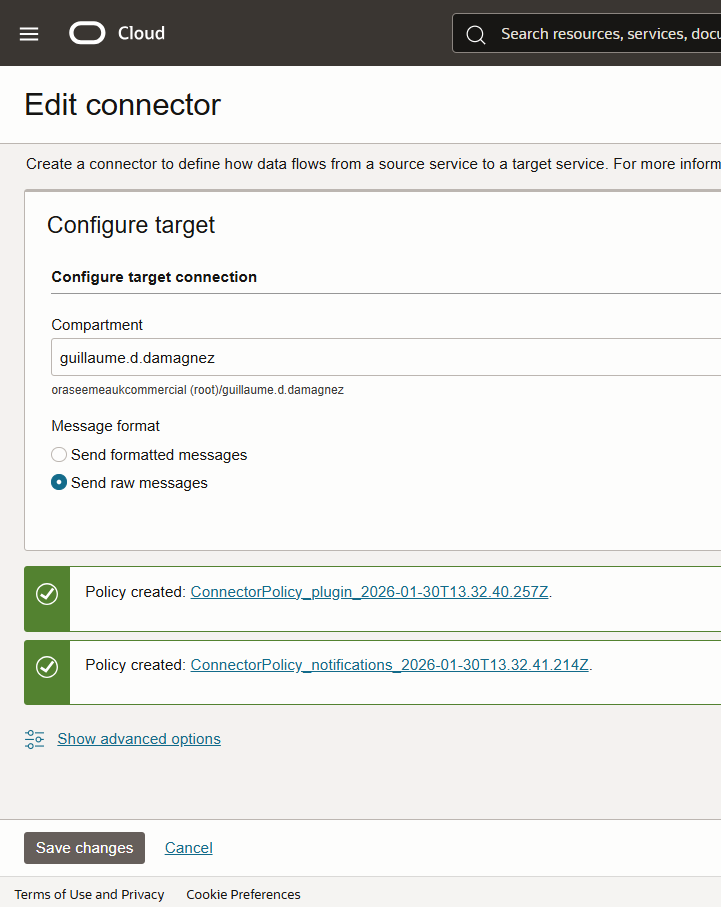
The connector needs to be able to pull from Queues and needs to be able to use the OCI notification service. When I create the connector and decide on the source (Queues) and the destination(Notifications), the guided activity conveniently ask me to create automatically the corresponding policies, which I accept:
The last part of my project is to schedule the function to run everyday, hence I need some sort of a cron job going… That is the job of the OCI resource scheduler and its setup is simple, but like any other service it needs proper policies in place to call onto other services. These are the policies for the resource scheduler:
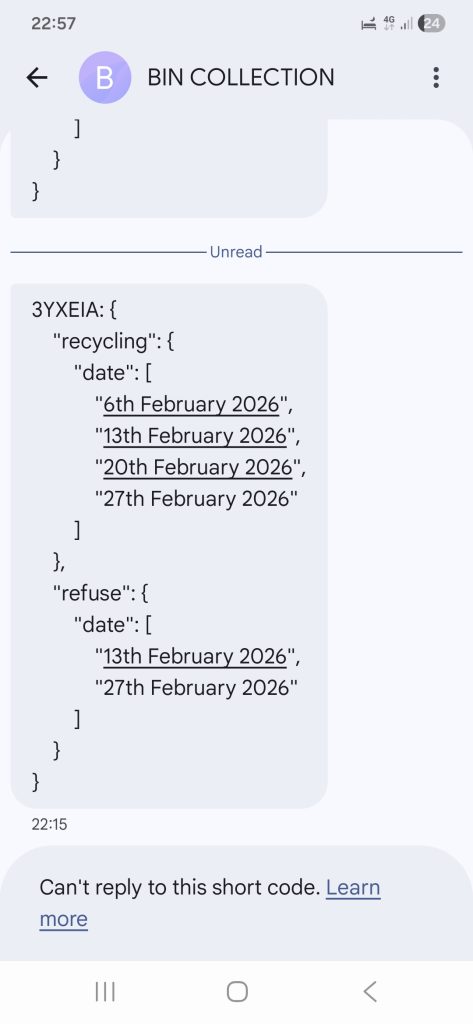
Allow any-user to use functions-family in compartment id ocid1.compartment.oc1..aaaaaaaaabcd where all{request.principal.type='resourceschedule',request.principal.id='ocid1.resourceschedule.oc1.uk-london-1.abcd'}And that’s it, this is what the output looks like on my phone every evening, making sure I do not forget when the next bin collection date is 😀