The other day, as I was clearing out storage on a VM and consolidating logical volumes into a lesser number of physical volumes, I ran into an issue where there was no way for me to identify to which cloud block storage my freshly freed /dev/sdc disk did correspond to… So how was I supposed to know which block to delete in the console and save money?
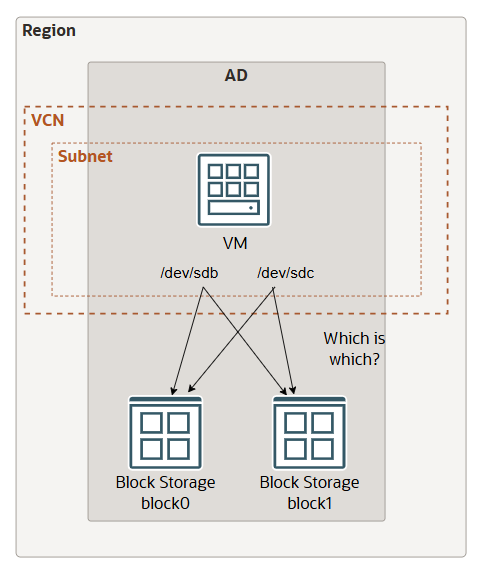
Turned out that I was using the ‘paravirtualisation’ option to attach the block device, and for that reason I was not able to establish a cross reference between the block volume and my VM device name. If you read this article and do know how to do it please let me know in the comments…
Briefly before I carry on, in this article I discuss concepts belonging to the Linux Logical Volume Management (LVM). It is a more flexible approach to managing disk space as it allows for resizing partitions on the fly, creating snapshots, and combining multiple physical disks into one large virtual one. Please read here if you are unfamiliar with it.
Back to the issue now, and the solution I offer comes with the hidden benefit of a performance increase. If you want to delete storage resources without triggering yourself an anxiety panic, here is the way to do it:
Mount block devices in ISCSI mode, they default to paravirtualised, change it like so
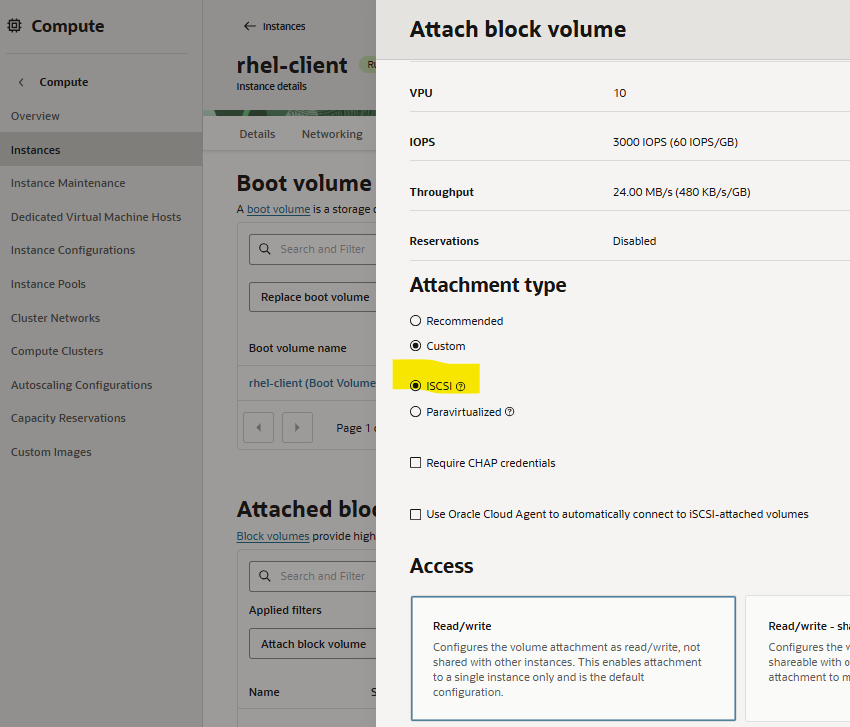
if you happen to use any supported cloud platform images here, the cloud agent would do the ISCSI connection for you. This is not my case in this example as I am using RHEL 8 so let’s run the commands together.
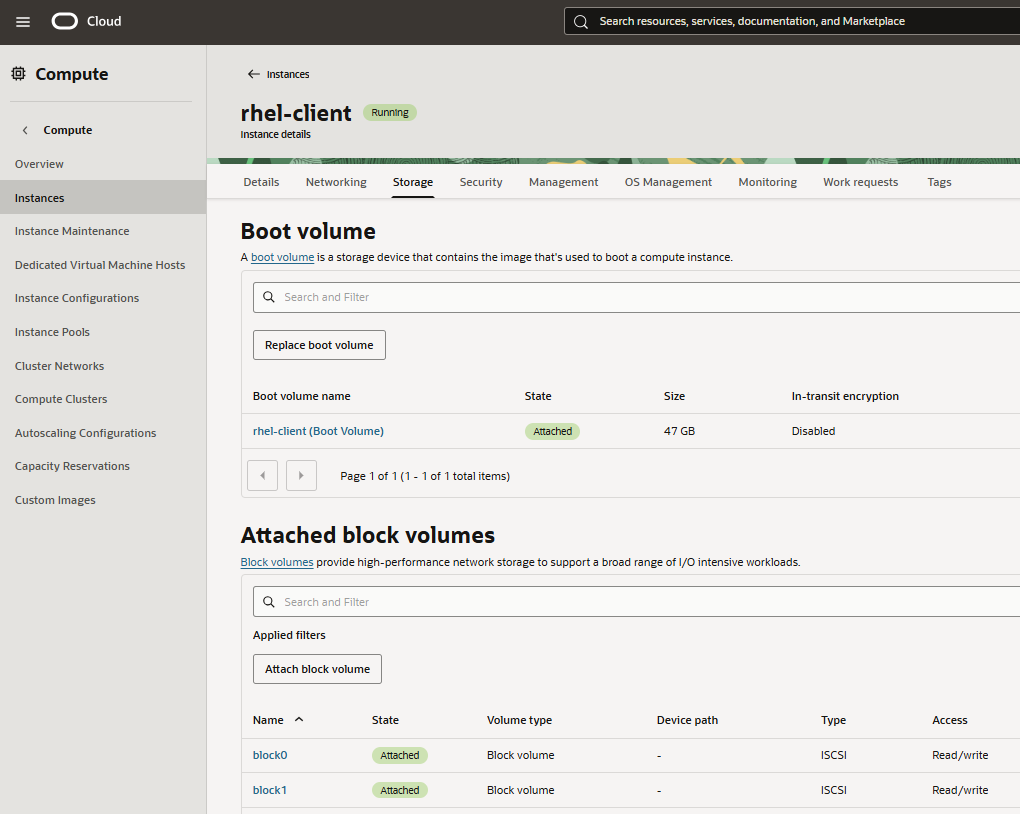
My VM shows two attached block volumes
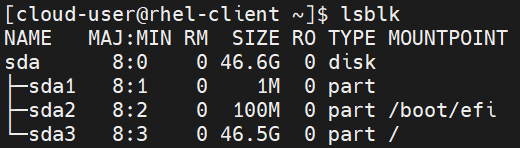
but the command line only shows my boot volume.
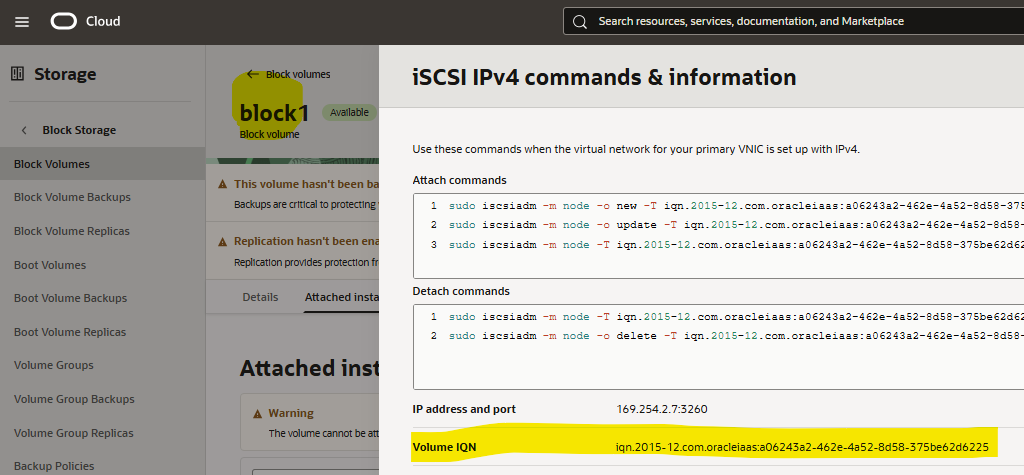
Thankfully, the console offers the ISCSI commands to run, very handy!

but before being able to do that so need to verify you have the correct packages installed, this one in particular iscsi-initiator-utils

Let’s give it a go then, copy paste commands from the console and stick it in your terminal
sudo iscsiadm -m node -o new -T iqn.2015-12.com.oracleiaas:cf78e312-3a91-4a24-aa86-2ec0f5756dcd -p 169.254.2.6:3260
sudo iscsiadm -m node -o update -T iqn.2015-12.com.oracleiaas:cf78e312-3a91-4a24-aa86-2ec0f5756dcd -n node.startup -v automatic
sudo iscsiadm -m node -T iqn.2015-12.com.oracleiaas:cf78e312-3a91-4a24-aa86-2ec0f5756dcd -p 169.254.2.6:3260 -l
Block volumes are now available inside the VM! Ready to be partitioned and formatted 🙂
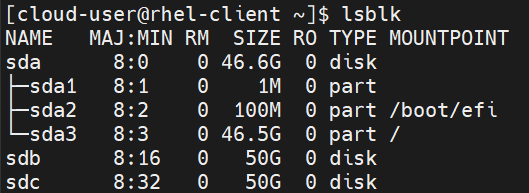
Let’s identify the ids of these disks. There is a good guide here about the available iscsi utilities. I run the command below I am now able to see which iqn belong to which device name.

and cross check in the cloud tenancy that sdc belongs to ‘block1’, in this instance. Beware that the mapping between device name and block storage can change, in order to maintain consistency across reboots it is necessary to set up correctly the /etc/fstab file, please see here.
See you!