I have a scenario where I want to equip Windows machines with a local access to OCI Object storage files. We have to go about it in two steps, first we install s3fs, and second we install and configure samba. Our VM need to be able to access OCI resources and I recommend to use resource principals.
I spin up a Linux VM and we follow the article from a colleague here, For the sake of the example below is the command to execute:
s3fs bucket-mickeymouse /mnt/another -o endpoint=uk-london-1 -o passwd_file=/home/opc/.passwd-s3fs -o url=https://namespaceabc.compat.objectstorage.uk-london-1.oci.customer-oci.com/ -onomultipart -o use_path_request_style -o allow_otherThe s3fs github instructions are also available here, but the commands they give freeze my machine… (I am on Oracle Linux 8.10) who knows… There is no firewall modifications that I can remember of, hence it works immediately see below!
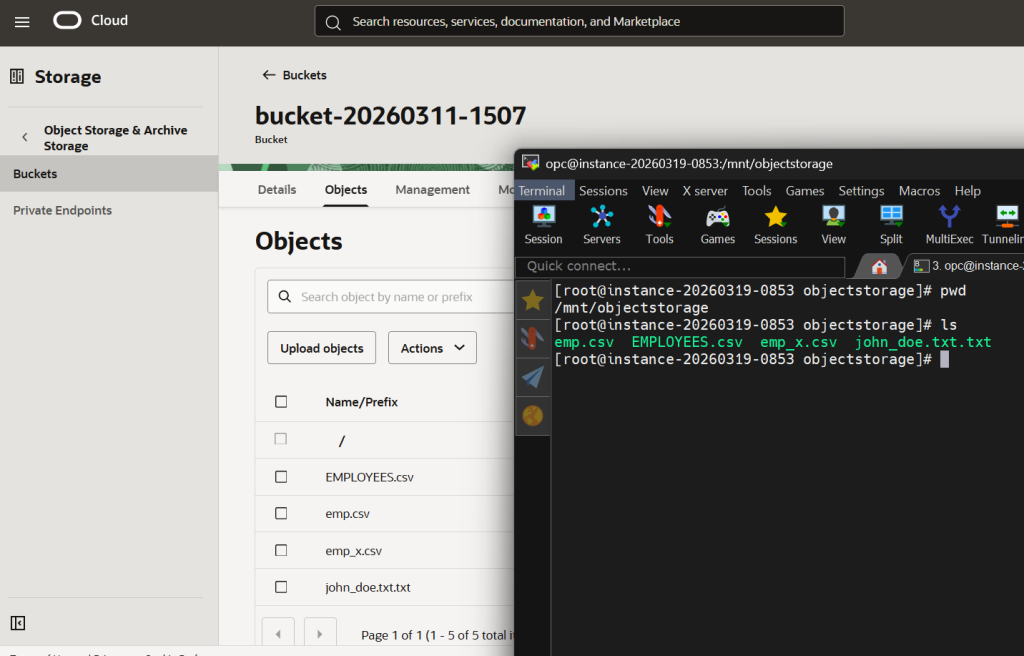
At first you can list what is on the bucket but you are not be able to delete the files or edit. For this you have to go to the bucket and remove any retention rules under the policies tab.
Next step is to use samba on that very same mountpoint (but you could use another mountpoint and sync both folder with a cron job maybe it would make the setup more robust…up to you really), I use /mnt/objectstorage and I follow the instructions here. I have to deactivate SELinux for it to work, and I think it is because the mountpoint I have chosen is a bit silly, but let’s leave that aside for the moment… please see here and then reboot.
If you open the link above you see the following snippet on the samba setup, modify the smb.conf file under /etc/samba/smb.conf with the correct path you wish to share and name it, below we have ‘shareexample’.
#========== Global Settings =========
[global]

workgroup = EXAMPLE_WORKGROUP
netbios name = Server_Netbios_Name

security = user
server role = standalone server
passdb backend = tdbsam
log file = /var/log/samba/%m
log level = 1

#========== File Share =========

[shareexample]
path = /mnt/objectstorage
read only = no
If you want a unique mount point for both s3fs and samba you need a further modification: Uncomment user_allow_other in /etc/fuse.conf and while mounting, add -o allow_other in the s3fs command, more info here… and don’t forget to open the Samba firewall port. It now looks like that:
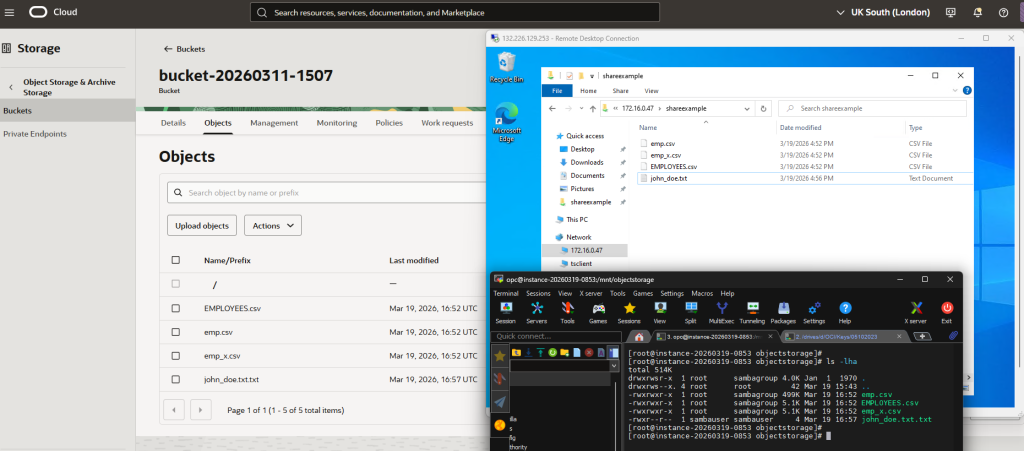
Now if you add, modify or remove files on the Windows clients, the change reflects on the bucket via the Linux VM. In other words Windows client <-> Samba + s3fs VM <-> Object storage.